
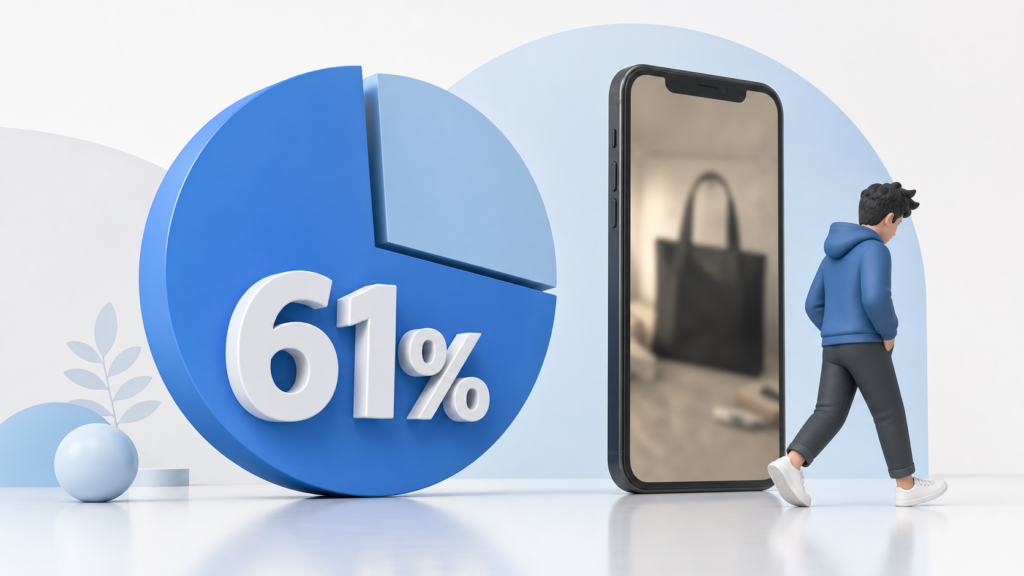
According to Salsify (2025), a staggering 61% of shoppers base their buying decisions directly on photo quality. If the visuals don’t click, they simply bounce. This stat hasn’t budged for five years.
Now, think about a multi-channel seller managing over 320 product listings across Amazon, Shopify, and Etsy. Keeping up with image enhancement manually is a nightmare they just don’t have time for. That is where AI steps in to cut down the grunt work. What used to take a whole team of freelancers can now be handled instantly and at a fraction of the cost.

For example, for a children’s toy seller with around 250 SKUs, switching to AI photo editing and automated chat responses reduced routine task time by approximately 30%, allowing them to focus on sourcing new products.
Why AI Image Tools Are Essential in 2026
However, there is a catch that you usually only learn about after making your first mistakes: what works perfectly for Amazon can fail completely on other platforms like Etsy, Shopify, or Walmart.

A “one-size-fits-all” tool approach simply does not work with marketplaces. For Amazon, it is all about numbers and analytics. Everything starts with keywords, niche analysis down to subcategories, and competitor benchmarking. PPC has also long ceased to be a guessing game: in many niches, CPC has already exceeded $3.80, so testing just for the sake of testing is a bad idea. Different rules apply to Etsy. It’s not about dry optimization, but rather the “handmade” feel. This means long-tail tags, descriptions that read like a craftsman’s story instead of robot-generated text, and photos without studio sterility. Warm, lively, and atmospheric shots sell much better than an ideal catalog look.

Shopify means different traffic, its own CRM system, and customer retention rules that differ from other platforms. Here, AI often works not on acquisition, but on retention: email sequences, behavioral personalization, abandoned carts, and post-purchase recommendations.
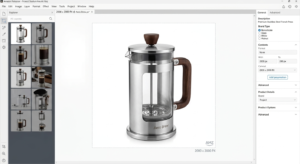
Walmart is the most demanding platform of all. Title length, attribute structure, categories, hierarchy – everything must be near-perfect. A mistake in just one field can literally tank a listing’s search ranking. Another detail that is rarely mentioned in “top tools” compilations is that each platform perceives images differently: Amazon demands sterility: a pure white background with a crisp product image and high resolution – preferably 2000×2000 pixels or higher.

Etsy cares less about just showing the product and more about conveying an atmosphere. Shopify grants more freedom but requires you to optimize for mobile – the image must look flawless on phones, not just desktops. Walmart requires 2200×2200 px quality and strict technical compliance.
| Marketplace | What matters in photos | Example specs |
| Amazon | Clean, studio‑like images that make the product crystal clear. | At least 2000×2000 px recommended; minimum 1000 px on the longest side for proper zoom. |
| Etsy | Images that feel warm, handmade, and lived‑in rather than “catalog‑perfect”. | High‑quality lifestyle shots work best; natural backgrounds and cozy scenes are welcome. |
| Shopify | Visuals that look great on phones first and then on desktop. | Photos should read well in square or portrait formats and stay sharp on mobile screens. |
| Walmart | Very strict, “catalog‑standard” images with no distractions. | Around 2000–2200 px width, clean background, no watermarks, stickers, or extra text. |
Why Sellers Use AI Tools in 2026
Look, by 2026, nobody sees AI as this crazy futuristic edge anymore. It’s basically background noise, like the electric bill you pay just to keep your store running. People aren’t jumping on it because it’s cool-they’re doing it because the daily grind is literally suffocating. If you’ve ever spent hours rewriting listings, cropping images for five platforms, or changing prices every time a competitor blinks, you get it. Add in 3 AM messages asking “where’s my package?”, and you either automate or you just break down. Thankfully, the tools got smooth enough that buyers can’t even tell the difference, so sellers can actually shut their laptops and walk away without everything catching fire.

Honestly, the real trigger for this massive spike? Total, absolute burnout. Today’s models catch social trends, shifting weather, or supply chain mess-ups way faster than any gut feeling ever could. Plus, bots take care of those endless, repetitive questions that honestly used to eat up whole afternoons. Nobody’s out here trying to build a sci-fi robot shop. People just want to stay sane. Throwing that boring, mechanical busywork onto a machine is literally the only way for shop owners to catch a breath, find cool products, and talk to actual humans again.
How We Evaluated the Best AI Tools

We didn’t just compile a list of the most-talked-about tools and call it a day. To find what actually works, we tested each tool hands-on – running real listings, processing actual product images, and tracking results across different platforms. For clarity, below is a breakdown of the specific tools that performed best for each platform and why.
The criteria were straightforward: does it save meaningful time, does the output meet platform requirements, and would a real seller with 200+ SKUs realistically use this every day?
Price-to-value ratio mattered just as much as features. A tool that does ten things poorly is far less useful than one that does two things exceptionally well. We also paid close attention to how each tool handles platform-specific nuances – because a background remover that passes Amazon’s standards doesn’t automatically work for Walmart, and copy that converts on Shopify won’t necessarily land on Etsy.

In the end, it’s pretty straightforward: by 2026, AI isn’t some shiny toy for tech geeks anymore – it’s part of the basic toolkit that keeps sellers from burning out and leaking money on routine tasks. At the same time, there’s no magic “one-size-fits-all” app that can tick every box for Amazon’s strict rules, Etsy’s handmade feel, Shopify’s retention game, and Walmart’s technical standards all at once.
That’s why we narrowed this list down to tools that genuinely save time, actually pass each platform’s requirements, and are realistic for sellers handling hundreds of active SKUs – not just tiny side projects or test stores. Let’s look at the actual tools that keep multi-platform sellers from losing their minds, and see exactly where they fit into a chaotic daily routine.
Amazon
-
- Helium 10 helps with keyword research and listing optimization. It also tracks competitors to support data-driven decisions.
- Jungle Scout — product research and niche validation with strong analytics.
- Your tool (ImageUpscaler) — bulk image upscaling to meet Amazon’s 2000×2000+ requirement without losing quality.
Etsy
- Marmalead — long-tail keyword optimization tailored for Etsy search behavior.
- eRank — trend tracking and tag optimization for handmade ниші.
- ImageUpscaler — helps create clean but still natural-looking images without overprocessing.
Shopify
- Klaviyo — AI-powered email flows, abandoned cart recovery, retention automation.
- ReConvert — post-purchase upsells and funnel optimization.
- TinyIMG / Image optimization tools — compress + optimize for mobile-first performance.
Walmart
- Feedonomics — feed management and compliance automation.
- DataFeedWatch — structured product data optimization for strict marketplace rules.
- ImageUpscaler — ensures compliance with strict image specs (resolution, clarity, no artifacts).
Why Image Prep is Secretly Your Biggest Bottleneck
Here is the thing most sellers miss: you can’t just upload the same image file everywhere and hope for the best. Every platform expects something different. If you have over 200 SKUs, tweaking this stuff by hand is where your productivity goes to die.

Handing this grunt work over to a dedicated system completely changes the game:
- Massive Time Savings. Tasks that used to swallow up 3 to 4 hours of tedious manual cropping are now done and dusted in just 10 or 15 minutes.
- True Batch Processing. Forget about opening files one by one. You can drop over 100 images into the system at once and let it handle the heavy lifting.
- Crisp Details, Zero Artifacts. Traditional resizing merely stretches out pixels, leaving you with a blurry mess. Smart upscaling actually reconstructs the missing details.
- Goodbye, Human Error. Every single photo turns out looking perfectly sharp and professional, even when you’re running on fumes at the end of a long day.
The Bottom Line: Automating this one simple task hands you back roughly 5 to 10 hours every single week.
Where Should You Start?

Don’t try to buy every single tool on this list today. That’s a fast track to more overwhelm. Instead, look at your business right now, identify the single biggest bottleneck eating your afternoons, and kill it first.
Is it image prep? If you’re stuck resizing files to fit picky marketplace rules, get an image upscaler and turn hours into minutes.
Is it keyword guesswork? Grab Helium 10 for Amazon or Marmalead for Etsy to stop shouting into the void.
Is it ghosting past buyers? Set up Klaviyo and let automated emails handle retention in the background.
Is it Walmart compliance? Focus on feed tools before a simple error tanks your store’s ranking.
This has nothing to do with building some crazy sci-fi robot shop. It’s way simpler than that. You just need your time back.
Look, nobody’s telling you to build a futuristic robot shop here. The goal is much simpler: reclaiming your time.


